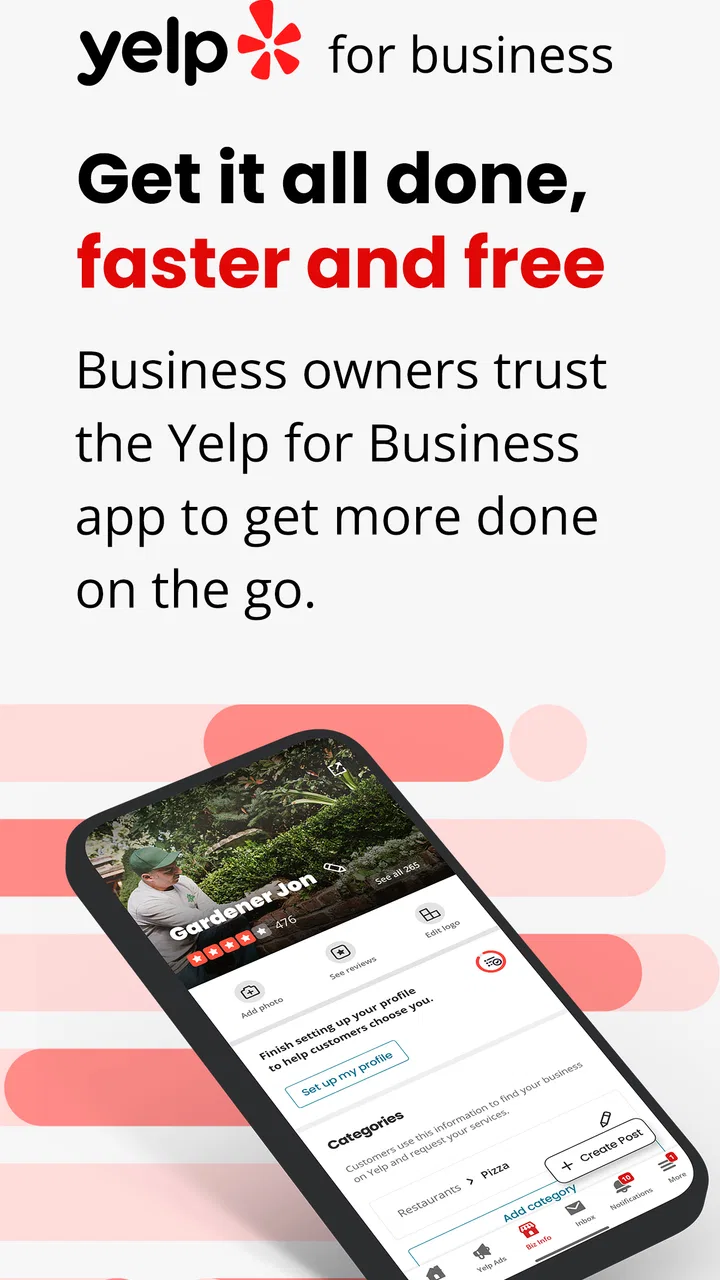
Yelp for Business
- 3.7
- Rating
- 1.00M
- Installs
- Free
- Price

 Analysis by App-foxy
When a customer leaves a review while I am away from the counter, the useful question is not simply whether I can see it. The more important question is whether I can respond thoughtfully before the conversation goes cold. That is the part of Yelp for Business I find most valuable: it turns reputation management into something I can handle from a phone instead of treating it as a task reserved for a desktop computer.
I reviewed it as a business app for owners and managers who need to keep an eye on their Yelp presence during a normal working day. It is free, made by Yelp, Inc, and aimed at businesses that want to manage their listings, answer customer reviews, and stay connected with people who discover them through Yelp. The app has an Everyone content rating, so its audience is broad, although the practical value is clearly aimed at people responsible for a business profile.
My overall impression is positive but specific: this is not a complete replacement for every business tool. It is best understood as a focused mobile control panel for your Yelp listing, with review responses as its strongest everyday use. If your customers regularly find you on Yelp, that narrow focus can be genuinely useful. If Yelp is not an important source of attention for your business, the app may feel like one more inbox to monitor.
You May Also Like

 Blood Strike: 2.5 Anniversary
Blood Strike’s Loadouts Turn Every Drop Into a Tactical Gamble
A close look at Blood Strike’s custom loadouts: how fast access to signature weapons reshapes its battle royale rhythm, rewards preparation, and narrows the gap between fights.

 Pandora - Music & Podcasts
Pandora’s Music Is Easy to Start, but Harder to Recover
Pandora’s strength is its low-effort path from a seed to a station. Its weak spot is how much confidence it asks you to place in connection, setup, and quiet recovery.

 8 Ball Pool
 Is Built on Rivalries, Rematches, and Routine
A close look at the rivalries, rematches, shared routines, and unanswered safety questions that turn a quick pool match into a persistent mobile community.

 Samsung Music
’s Quiet Strength Is Playing What You Already Own
Its reach comes less from spectacle than from dependable access to a personal library. That simplicity is both the app’s strongest retention engine and its ceiling.

 AccuWeather: Weather Radar
AccuWeather Review: A Quick, Clear Forecast for Everyday Decisions
For everyday plans, the best forecast is the one you can understand quickly. AccuWeather makes rain timing, radar, and local conditions easy to act on, with a few trade-offs.

 Hill Climb Racing
Why Hill Climb Racing Still Turns Crashes Into One More Run
A tiny car, a bumpy hill and one more upgrade: Hill Climb Racing keeps resurfacing because its simple chaos makes every near-miss feel personal.
More From Our News Desk



Responding to reviews is the capability that matters most
The central workflow is straightforward. I can open the business profile, look through customer feedback, and respond without waiting until I return to a computer. That sounds modest, but the mobile setting changes how practical the task feels. A review can appear while I am between appointments, checking stock, travelling between locations, or handling the quieter part of a shift. Instead of postponing it indefinitely, I can deal with it while the context is still fresh.
That immediacy is especially helpful with mixed or negative feedback. A rushed reply written from irritation can make a difficult situation worse, so I would not recommend answering the instant a complaint appears. The better workflow is to read the review, pause, verify what happened internally, and then use the app to publish a calm response once the facts are clear. The phone makes the response available quickly, but it does not remove the need for judgement.
I also like the distinction between acknowledging a customer and trying to win an argument. A public response should show that the business has noticed the concern, explain the next step when appropriate, and invite a more useful conversation without exposing private details. The app helps with the access part of that process. The quality of the result still depends on the person typing.
For positive reviews, the same feature supports a lighter routine. A short, personal thank-you can make the business feel present rather than abandoned after the sale. I would avoid copying the same sentence every time, though. Repeated wording is easy to spot and can make even a well-intentioned response feel automatic. A mobile tool is most effective when it makes genuine attention easier, not when it encourages a batch of generic replies.
How the mobile workflow fits a real working day
Imagine a small café owner who notices a complaint during the afternoon rush. The customer says the order took too long and mentions that nobody explained the delay. The owner may not have time to investigate immediately, but the app makes it possible to see the review, leave it available for later, and return after the rush. Once the staff member involved has been asked what happened, the owner can write a response that recognizes the delay and explains how the team will handle similar situations.
That scenario shows both the strength and the boundary of the app. It reduces the distance between a public comment and the person responsible for the listing. It does not investigate the incident, replace staff communication, or decide whether the customer is correct. I see it as the final communication step in a larger service-recovery process, not as the process itself.
For a business with several people sharing responsibility, a simple internal habit makes the app more useful. One person can check new feedback at a set time, gather details from the team, and draft responses only after separating urgent issues from ordinary praise. Without that discipline, mobile access can encourage reactive replies. The convenience is real, but so is the temptation to answer while distracted.
Another practical point is tone. A phone keyboard is fine for a brief thank-you or a concise explanation, but longer replies are harder to review on a small screen. I would keep the first draft short, remove defensive language, and read it once as if I were the customer. If the response contains several explanations, internal references, or complicated wording, I would wait until I could use a larger screen or another writing tool.
Using the listing as a customer-facing reference point
The app is also useful because a business listing is more than an address on a map. It is often one of the first places a potential customer forms an opinion about a local business. Keeping that presence under observation helps an owner notice how the business is being discussed and whether public feedback is being answered consistently.
I would not treat the listing as a substitute for a full website, booking system, accounting package, or customer relationship platform. Those tools serve different purposes. What this app offers is a direct way to stay close to the Yelp-facing side of the business. That makes it more specialized than a general social media manager and less comprehensive than an all-in-one business suite.
This distinction matters when choosing alternatives. A social media dashboard may be better if most customer conversations happen across several social networks. A browser-based business management system may be better for detailed reporting, staff permissions, or broader operations. A desktop browser may also be more comfortable for a long session involving many edits. I prefer this app when the job is specifically to check the Yelp presence and respond while mobile.
A useful routine for handling praise and complaints
My recommended routine begins with triage rather than typing. First, I would identify whether the review is praise, a service complaint, a factual correction, or something that needs internal attention. Second, I would check the relevant details with the team. Third, I would write a response that addresses the public point without sharing personal or confidential information. Finally, I would reread it for tone before posting.
This approach produces a less obvious benefit: the app can become a feedback log for recurring service problems. If several comments mention the same confusing step, slow handoff, or expectation gap, the pattern is more valuable than any single review. I would keep a separate internal note of repeated themes rather than relying on memory. The app exposes the conversation; the business still needs a method for turning it into an operational change.
One trade-off is that fast access can blur the line between monitoring and constant checking. I would not recommend opening the app every few minutes. A predictable review schedule is healthier and usually more effective. For a small business, one check near the beginning or end of the day may be enough, with extra attention after a known service issue. The right rhythm depends on how much Yelp matters to the business and how frequently customers use it.
Where it performs best: owner-led local businesses
The strongest scenario is a local business where the owner or a small management team personally handles customer experience. A salon, restaurant, repair shop, studio, or independent service provider can benefit because the person reading the review often knows the situation behind it. That makes a mobile response more than a formal acknowledgment; it can be a timely, human explanation.
It is particularly helpful for someone who is rarely seated at a desk. A manager moving around a property, visiting suppliers, or supervising a busy service period may have no convenient desktop routine. The phone-based format removes that practical obstacle. I would still reserve longer writing and deeper analysis for a larger screen, but quick awareness and concise replies fit naturally on mobile.
There is also value for a business that has recently changed something based on feedback. If opening hours, service procedures, or customer communication have been adjusted, watching new reviews can show whether the change is being noticed. I would be careful not to claim that one response proves the problem is solved. Still, staying close to fresh feedback gives the owner a faster sense of whether the customer experience is moving in the right direction.
For a multi-location company, the picture is more complicated. Mobile access may help a regional manager stay aware of activity, but a larger organization usually needs clear ownership, approval rules, and a shared record of responses. This app can support that work, yet it should not be mistaken for a full governance system. If several people answer from the same business presence without coordination, tone can become inconsistent and duplicate effort is likely.
The trade-offs I noticed before recommending it
The first limitation is scope. Yelp for Business is centered on the Yelp relationship, so its usefulness rises and falls with the importance of that channel. If your customers mainly contact you by email, phone, direct messaging, or another platform, this app will not consolidate those conversations for you. Installing it will not automatically create a complete customer-care workflow.
The second limitation is the mobile writing experience. Short replies are comfortable, but thoughtful public communication can require editing. Small-screen typing increases the chance of a spelling mistake, an overly sharp sentence, or a response posted before the writer has checked the details. My advice is to use the app for access and timely action, while treating careful wording as a separate responsibility.
The third trade-off is emotional. Negative reviews can feel personal, especially for an owner who built the business from the ground up. Having the reply box immediately available is useful, but it can also make an impulsive response easier. I would use a cooling-off rule: read first, investigate second, draft third, publish last. That small delay protects the business more than any clever phrase.
There is a further distinction between visibility and resolution. A public response can demonstrate attention, but it cannot repair a delayed order, refund an incorrect charge, or retrain a team member by itself. I would use the app to communicate what the business is doing, not to perform service recovery theatrically in front of an audience. Customers usually notice when a reply sounds designed for spectators rather than for the person who raised the concern.
Compared with managing the profile through a browser, the app is more convenient for quick checks and replies away from a desk. Compared with a broad social media tool, it is more focused on the Yelp context but less useful for cross-platform planning. Compared with an all-in-one business system, it is lighter and easier to approach, but it does not cover the wider administrative work those systems are built to handle. I would choose based on the actual bottleneck, not on the number of tools a business can install.
What the current app details mean for installation
The app is free to install, which makes experimenting with it relatively low-risk for a business owner who wants direct access to a Yelp presence. Its current version is 26.10.0-28261002, and it requires Android 9 or later. That operating-system requirement is worth checking before handing the task to an older spare phone. A business may have a newer primary device but still keep an older handset at the front desk, and compatibility can differ between those devices.
Its reach is already substantial, with over a million installs and an average rating of 3.9 from around twelve thousand ratings. I read that as a sign of useful but not universally smooth experiences. The rating is not a reason to reject it, yet it is also not a reason to assume every owner will find the workflow perfect. I would test the tasks that matter most to your business: opening the listing, locating recent reviews, and preparing a response.
The app has also accumulated around four thousand nine hundred written reviews. I would treat written feedback as more informative than a single average because business owners often care about specific friction: login behavior, navigation, notification habits, or the ease of editing a response. Before making it part of a team routine, I would spend a few minutes checking whether the current interface feels manageable on the device your staff actually use.
Who should use it and who should look elsewhere
I recommend it most strongly to an owner or manager who personally cares about public customer conversations and needs to handle them away from a desk. It is a good fit when Yelp is a meaningful discovery channel, reviews affect local trust, and responses need to come from someone close to the day-to-day operation. The free price also makes it an easy companion to an existing business workflow rather than a major purchasing decision.
I would be more cautious if your business has a large support team, strict approval requirements, or a need to coordinate many channels in one place. In that situation, a desktop-centered system or broader customer-service platform may be better as the main tool, with this app used only for direct Yelp access. Likewise, if your business rarely receives Yelp activity, monitoring it on mobile may add more maintenance than value.
It is also not the right choice for someone expecting automated reputation management. The app gives the business a practical route to participate in the conversation, but it does not replace a thoughtful response policy. The best results come from pairing it with internal facts, a consistent tone, and a clear decision about which issues should move from a public reply into a private service conversation.
After using it, I see Yelp for Business as a focused companion rather than a universal business manager. Its real strength is simple: it puts the Yelp review conversation within reach when the person responsible is not at a computer. That can improve response timing, encourage more consistent attention, and reveal recurring customer concerns before they become invisible background noise.
My final recommendation is conditional but clear. If Yelp matters to your local business and you want a convenient way to manage reviews from an Android device, this app is worth trying. Build a calm response routine around it, verify complaints before answering, and use repeated feedback to guide real improvements. If you need unified messaging, detailed operations, or team-wide workflow control, keep looking beyond it. Its value comes from doing one important job close to the customer, not from pretending to replace every other business tool.
FAQs for Yelp for Business
01What is Yelp for Business, and how can it benefit my business?
Yelp for Business is a platform that allows business owners to manage their Yelp presence, engage with customers, and track analytics. It benefits your business by increasing visibility, attracting more customers through reviews, and building credibility. It also offers advertising options to enhance your reach in your local area.
02How do I claim my business on Yelp for Business?
To claim your business, search for your business on Yelp, and click on the "Claim this business" link. You’ll need to create a Yelp Business account if you don’t already have one. Verification is required, which may involve receiving a phone call or postcard to confirm ownership.
03Is there a cost associated with using Yelp for Business?
Creating and managing a Yelp Business account is free, allowing you to update your business information and respond to reviews at no cost. However, Yelp offers paid advertising options, such as enhanced profiles and targeted ads, which can help increase your visibility and attract more customers.
04Can I respond to reviews on Yelp for Business?
Yes, responding to reviews is an integral feature of Yelp for Business. You can publicly reply to customer reviews to thank them or address concerns. This engagement shows that you value customer feedback and are committed to providing excellent service, which can positively impact your business reputation.
05What tools does Yelp for Business provide to track performance?
Yelp for Business offers a range of analytics tools, including customer activity reports, ad performance metrics, and traffic data. These tools help you understand how customers interact with your listing, monitor the effectiveness of advertising campaigns, and make informed decisions to improve your business strategy.
Pros
- User-friendly interface for business owners.
- Real-time updates on customer reviews.
- Comprehensive analytics and insights.
- Easy to manage business information.
- Great tool for customer engagement.
Cons
- Limited features in free version.
- Can be overwhelming for new users.
- Requires regular monitoring of reviews.
- Some features hidden behind paywall.
- Occasional glitches in app updates.

Yelp for Business
Gallery